Knowledge Base




Searching in : Article
ID: AR07P00990
Applies to: NoMachine Software
Added on: 2018-07-17
Last Update: 2018-07-17
Shortcuts available in NoMachine sessions and how to personalize them
This article applies to NoMachine v. 4 or later.
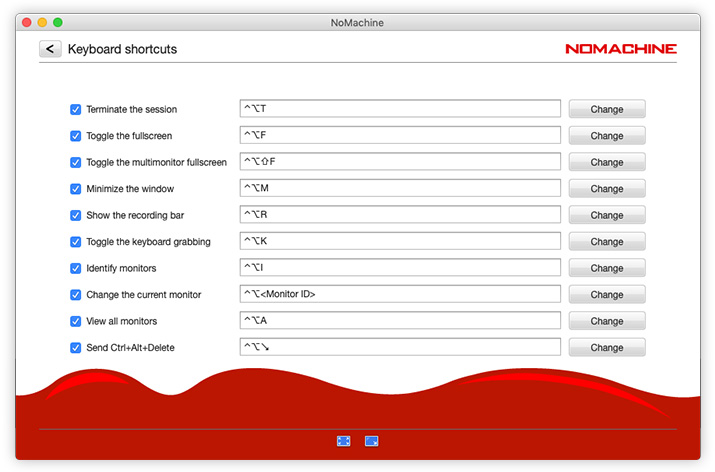
A set of shortcuts are available within the NoMachine session that will allow, for example, to terminate the session, toggle the fullscreen, minimize, show the recording bar, etc ...
The NoMachine User's Interface allows to personalize these shortcuts. To access them, launch NoMachine and clik on the 'Settings' button. Access the Input panel:

and click on the 'Change' button to open the list of the available shortcuts: