





How to install NoMachine on macOS Catalina and later
The correct behaviour when installing NoMachine on macOS can be seen below. If you are using an earlier version of NoMachine (6.8.1 and previous) please check the article available here: https://www.nomachine.com/AR10Q01057.
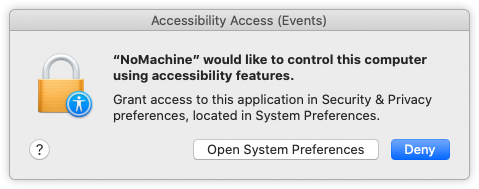
When installing NoMachine on Catalina a system dialog is issued for the Accessibility Access (Events). If you're administrator, grant access to 'nomachine' by clicking on 'Open System Preferences':
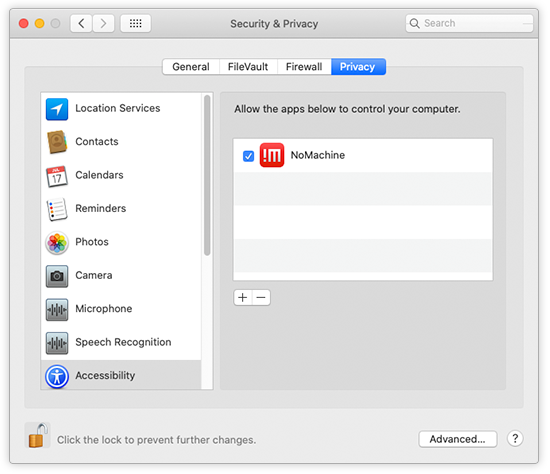
Allow 'nomachine' (tick the box):
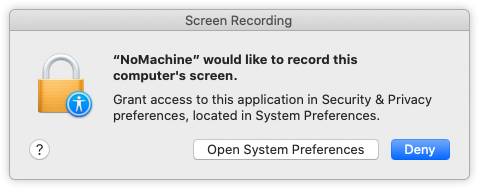
Then add 'NoMachine' to Screen Recording: a system dialog is issued to grant access to 'NoMachine' to screen recording functionalities. Click on 'Open System Preferences':
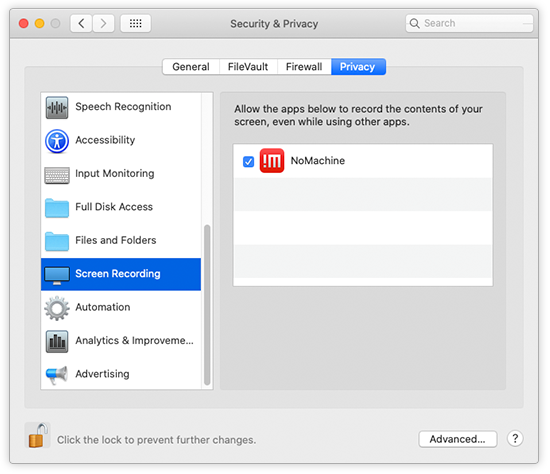
and allow 'NoMachine' to record the content of your screen:
The next step is to allow file-access permission to NoMachine. A system dialog request to grant permission will be displayed whenever NoMachine needs access to a file or folder.
Launch the NoMachine application. The system should issue a dialog asking to grant permissions to NoMachine to access files e.g. on your Desktop or Documents folder. Grant permission to NoMachine from such dialog:
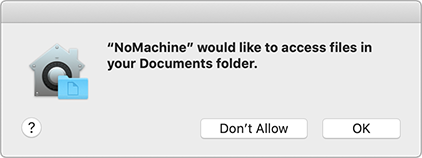
Click on 'OK' and add NoMachine to the list of allowed applications for Full Disk Access:
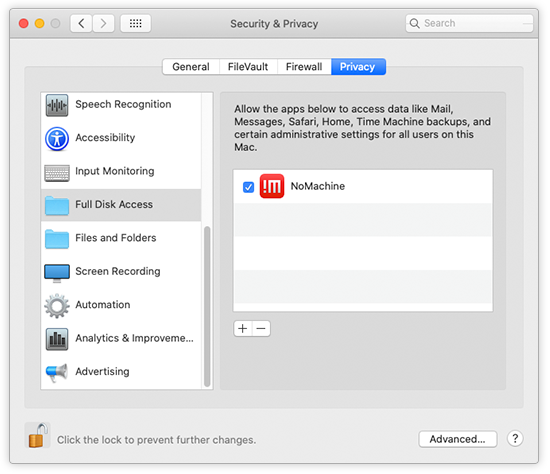
It's also possible to grant 'NoMachine' with 'Full Disk Access permission' by editing the system settings: Open Settings -> Security & Privacy -> Privacy group and select Full Disk Access permission. Add NoMachine to the list of allowed applications for Full Disk Access.
When 'grab the mouse input' is selected in the NoMachine client preferences:
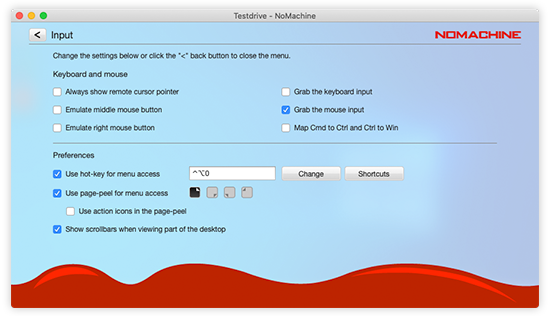
the system issues a dialog asking to grant NoMachine permission to control this computer:
Click on Open System Preferences -> Accessibility and add 'NoMachine'.
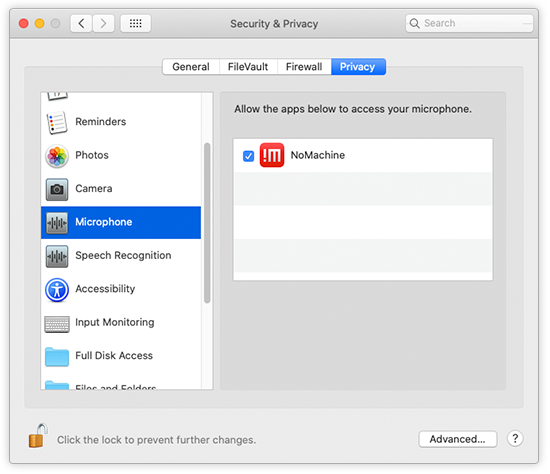
In order to allow audio support in NoMachine sessions, when the user connects for the first time a system dialog is issued asking to grant permissions to NoMachine to access microphone:
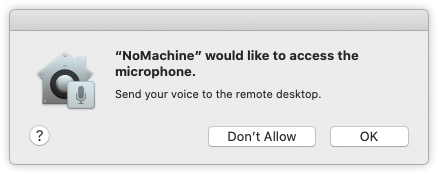
Click on 'OK' and add NoMachine to the list of allowed applications for Microphone:
TROUBLESHOOTING
If you didn't accept to grant accessibility permissions to NoMachine upon system dialog requests, you can add them later manually via the System Preference panel as explained above. To grant audio support, when access to microphone is not given via system dialog, enable NoMachine in the list of applications which have access to microphone (System Preferences -> Privacy -> Microphone).